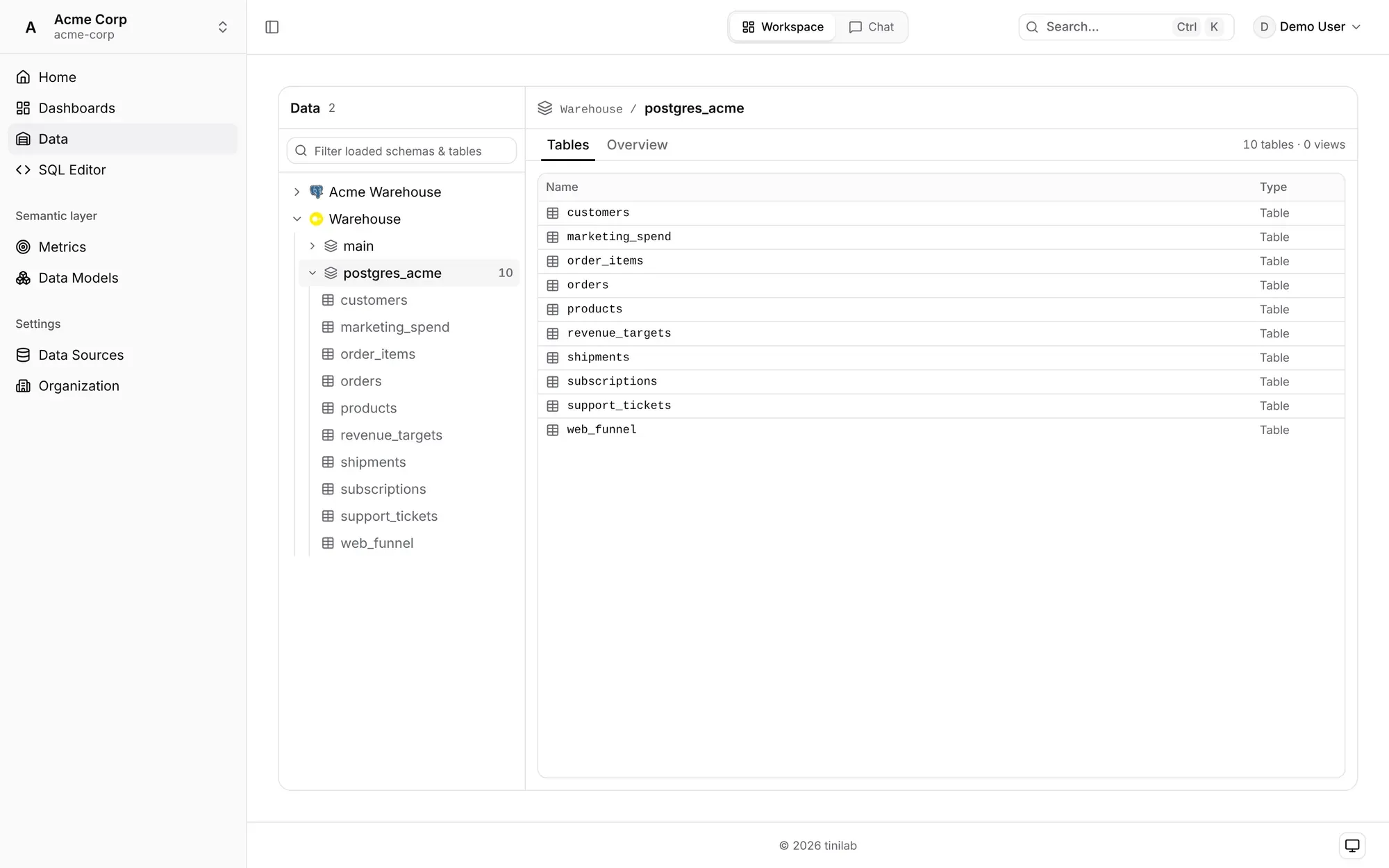
Plenty of founders don’t have a database to connect. Their numbers are in exports, spreadsheets and apps. They needed somewhere to put it all, and setting up a warehouse, the kind of database built for answering questions across lots of data, was a project in itself. Now it’s a button.
Add it in one click
In Data Sources, click New data source and pick Built-in warehouse, the first one in the list. Give it a name (it suggests “Warehouse”) and that’s it: Orcabase hosts it for you, on DuckDB, a database built for analysis. There’s nothing to connect and nothing to run.
- Load data from the Data page: spreadsheets and exports as CSV, TSV, Parquet or JSON, up to 200 MB a file.
- Make it the destination for your syncs, so your sheets and MySQL data land in one place (and, from a week later, your other databases too).
- Ask questions of it from dashboards, the SQL Editor and the data agent, like any other source.
The screenshot at the top shows where that leads: the Acme Corp demo’s ten tables, synced from its app’s database into the built-in warehouse, ready to query. One warehouse per organization; removing it keeps the data, and adding it back brings it back.
Easier to find your way
The sidebar is simpler: Home, Dashboards, Data and the SQL Editor, then Metrics and Data Models, then settings. Data Sources has two tabs, your data sources and Data sync, so everything about getting data in is in one place. The sidebar folds down to icons with ⌘B.
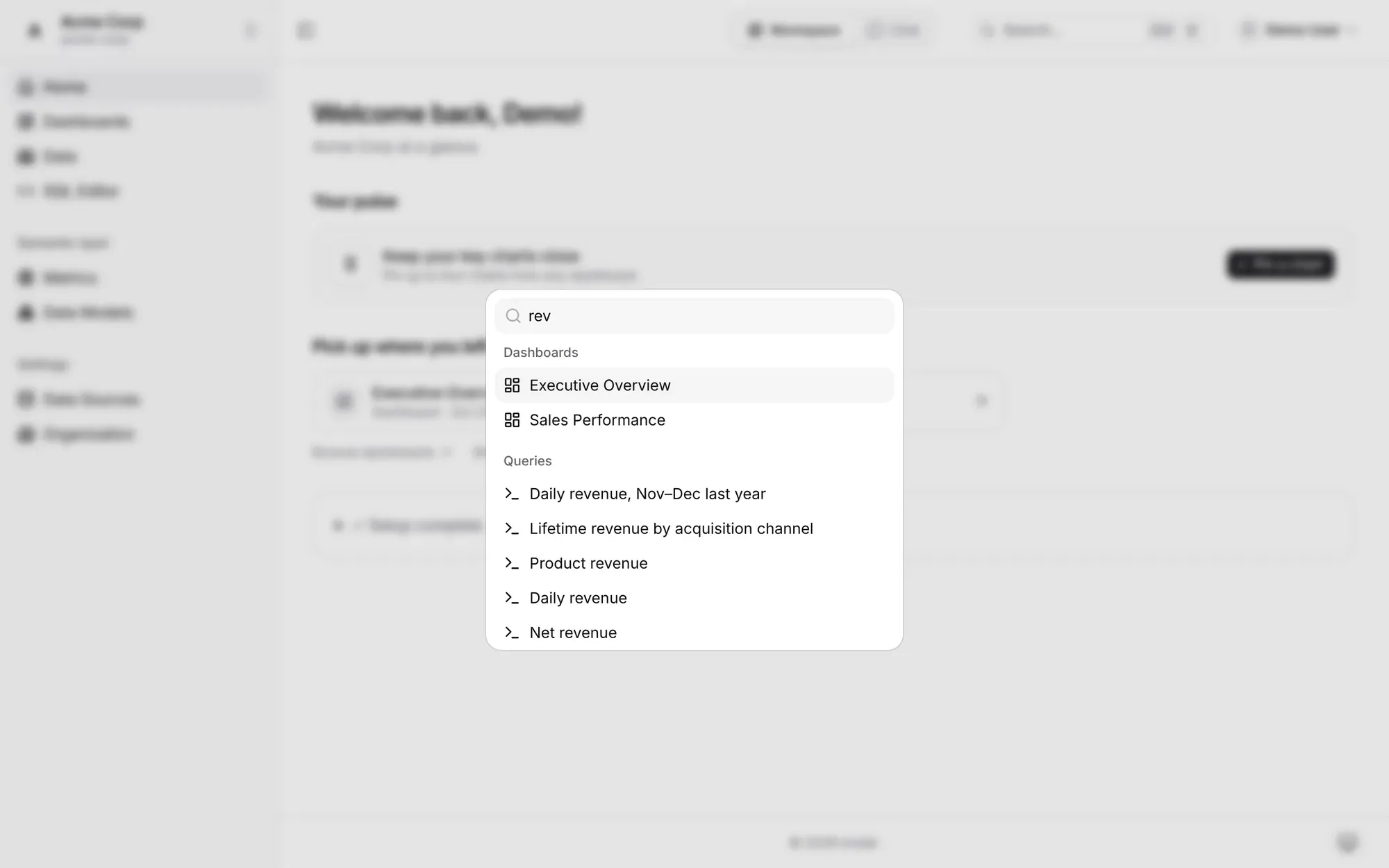
And ⌘K opens a search across everything: dashboards, saved questions, metrics, data models and data sources, plus shortcuts to create a new dashboard or add a data source.
Changes you can make
The warehouse is yours to write to, too: create tables in it from the SQL Editor, or let a sync fill it. One question runs at a time per warehouse; others wait their turn.