Data Warehouse
All your data in one warehouse. Wherever you want it.
Orcabase connects your apps, databases and spreadsheets, builds the warehouse for you and keeps it in sync: hosted by us, or in your own BigQuery or Postgres. Then ask it anything, in plain words.
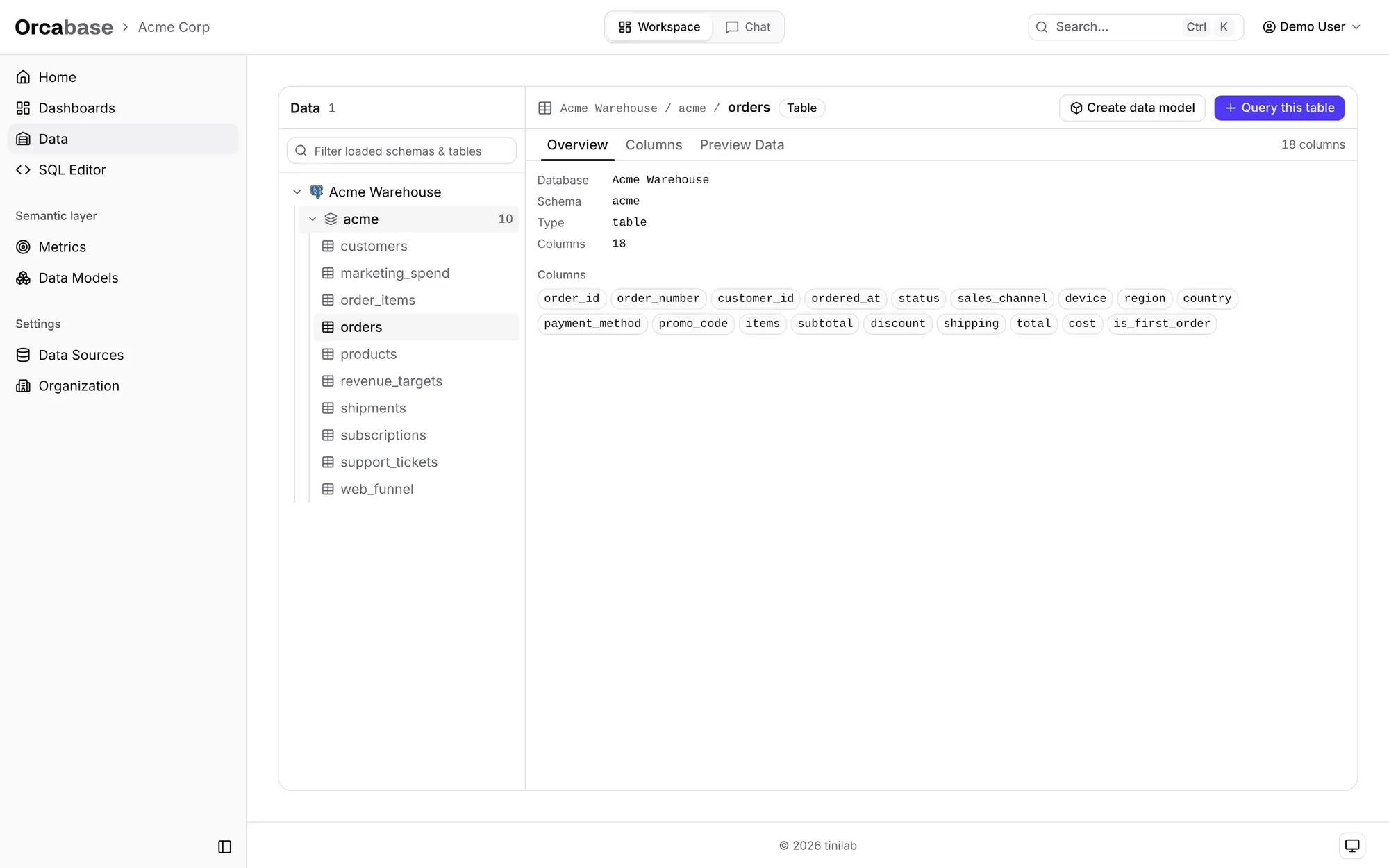
Real screenshots of Orcabase, showing Acme Corp, a demo company with two years of sample data.
In plain words
What is a data warehouse?
It's one home for all your business data, set up for answering questions. Orders sit next to ad spend, next to that spreadsheet you keep. Your product keeps running as usual; the warehouse is where you look at the whole business.
Most startups have never had one, and you don't have to build it yourself. Orcabase connects your sources, loads the data and keeps it in sync, in a warehouse we host or in your own cloud. Then an AI agent reads it to answer your questions and build your dashboards. Read the guide.
How it gets built
Connect your sources. We build the warehouse.
No pipelines to write and no data team needed. Orcabase loads every source into one warehouse and keeps it structured and up to date.
- Step 1
Connect your sources
Your app's database, payments, your store, ads or your CRM. Spreadsheets and exports work too.
- Step 2
Choose where it lives
A warehouse Orcabase hosts for you, or your own BigQuery or Postgres.
- Step 3
We build it and keep it in sync
Tables land structured and keep syncing on schedule, so they never drift from the source.
- Step 4
Ask it anything
You, the data agent, Claude or ChatGPT can ask across every table at once.
See every data source, and what you can ask each one.
Where it lives
Our cloud or yours. Same warehouse, same answers.
Pick what fits today. You can use both, and every question works across them.
Hosted by Orcabase
- Set up for you with your first source
- Nothing to install, size or maintain
- Your uploads and the built-in syncs land here
- An add-on to any plan, priced by storage
In your own cloud
- Loaded into your own BigQuery or Postgres
- Each sync writes to its own dataset or schema
- The tables stay in your account, yours to use anywhere
- No hosting add-on: your cloud bills you for storage
Already have your data in Postgres or BigQuery? Connect it and Orcabase queries it where it lives, read-only, with nothing copied.
Why let Orcabase build it
A warehouse without the warehouse project.
Always in sync
One question, every source
Structured for agents
Your apps, built in
Yours to keep
Just your data
On top
Analytics for humans and agents.
Wherever your warehouse lives, you get the same Orcabase on top of it.
Ask in plain words
One set of numbers
Dashboards your team opens
Your AI tools too
Your data stays yours
Read-only by default. You approve every change.
Your data stays yours
Read-only queries
You approve changes
Look inside
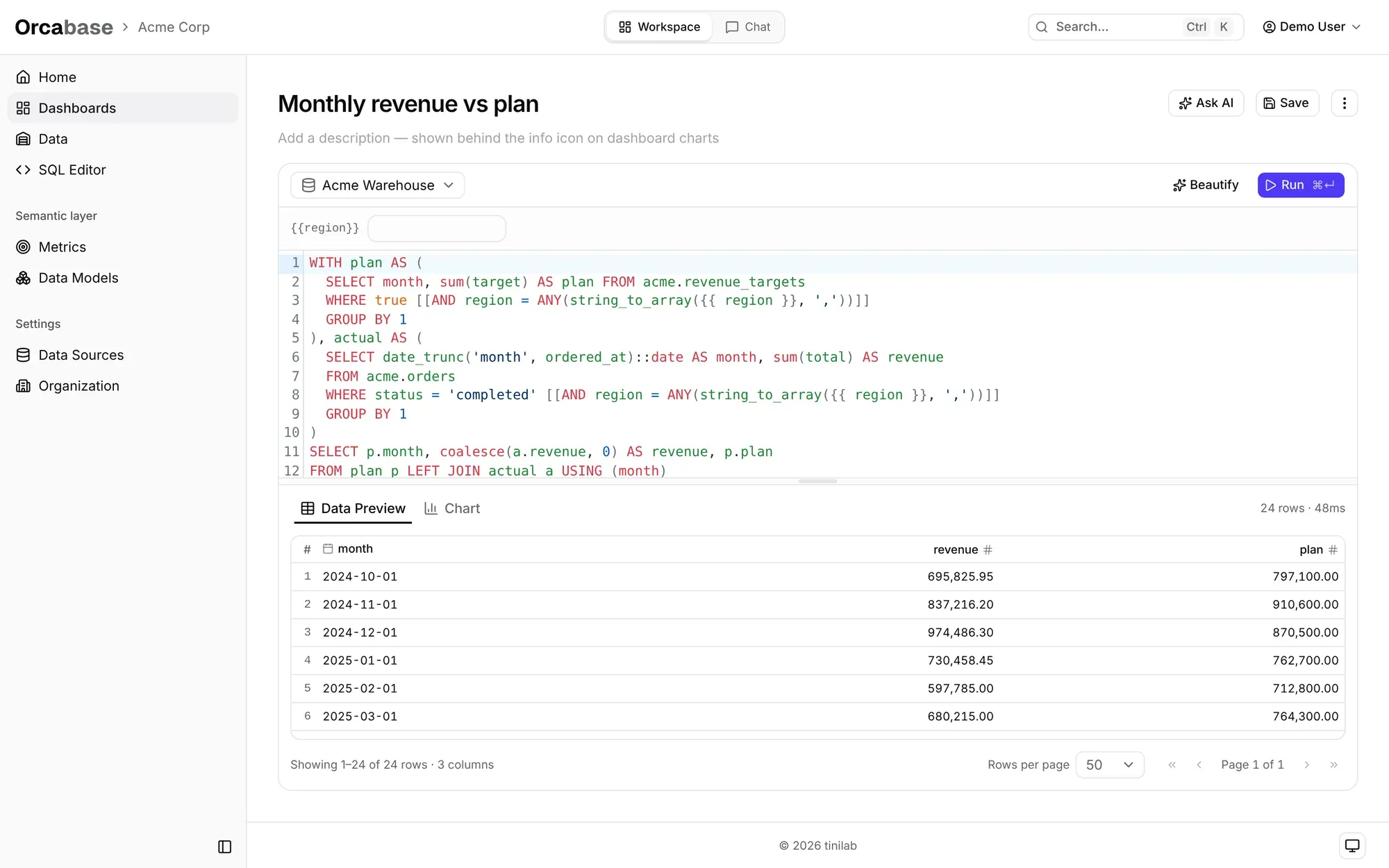
Nothing hidden. Check the working.
The agent shows exactly how it worked out every answer. Anyone technical on your team can read it, adjust it, or write their own, with your data's names suggested as they type.
- See exactly how each number is calculated
- Dashboard filters flow straight into it
- Any result becomes a chart, and any chart a dashboard tile
Do I need a data warehouse to start?
Can the warehouse live in our own cloud?
Where does each source land?
I already have data in Postgres or BigQuery. Do I have to move it?
Can I use more than one?
Can I connect the database my app uses?
Can the agent change data in my apps?
What can I upload?
How much does it cost?
Can I take my data with me?
One warehouse for all your data. Built for you.
Connect a source, pick where the warehouse lives, and ask your first question.
Sign in with Google and tell us about your company. We review each sign-up and email you when you’re in.