Your app’s database is busy running your app. Pointing dashboards and an AI agent at it all day isn’t always wise, and some questions need its data next to your sheets and apps. The answer is a copy, kept fresh, in a warehouse built for questions. Making one used to be a job for a data engineer. Now it’s three steps.
Three steps
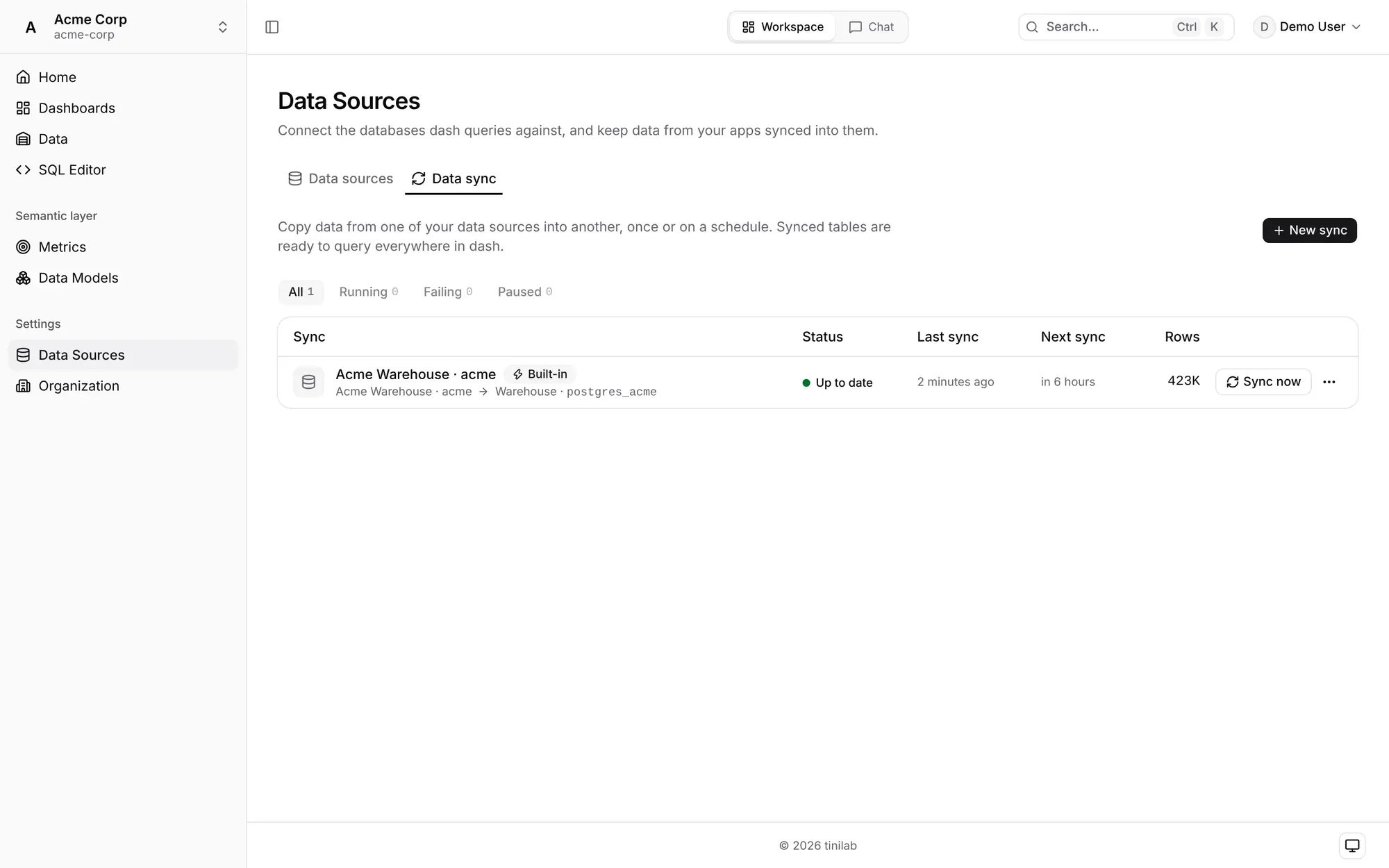
In Data Sources → Data sync, click New sync:
- Pick a source. From your data sources lists your PostgreSQL and BigQuery sources, next to MySQL, Google Sheets and Google Search Console.
- Pick the schema (or the BigQuery dataset) to copy, and where it goes: Sync into the built-in warehouse or a BigQuery data source. The sync uses the login the data source already has, so there’s nothing new to enter.
- Pick the tables and how often, and click Start syncing.
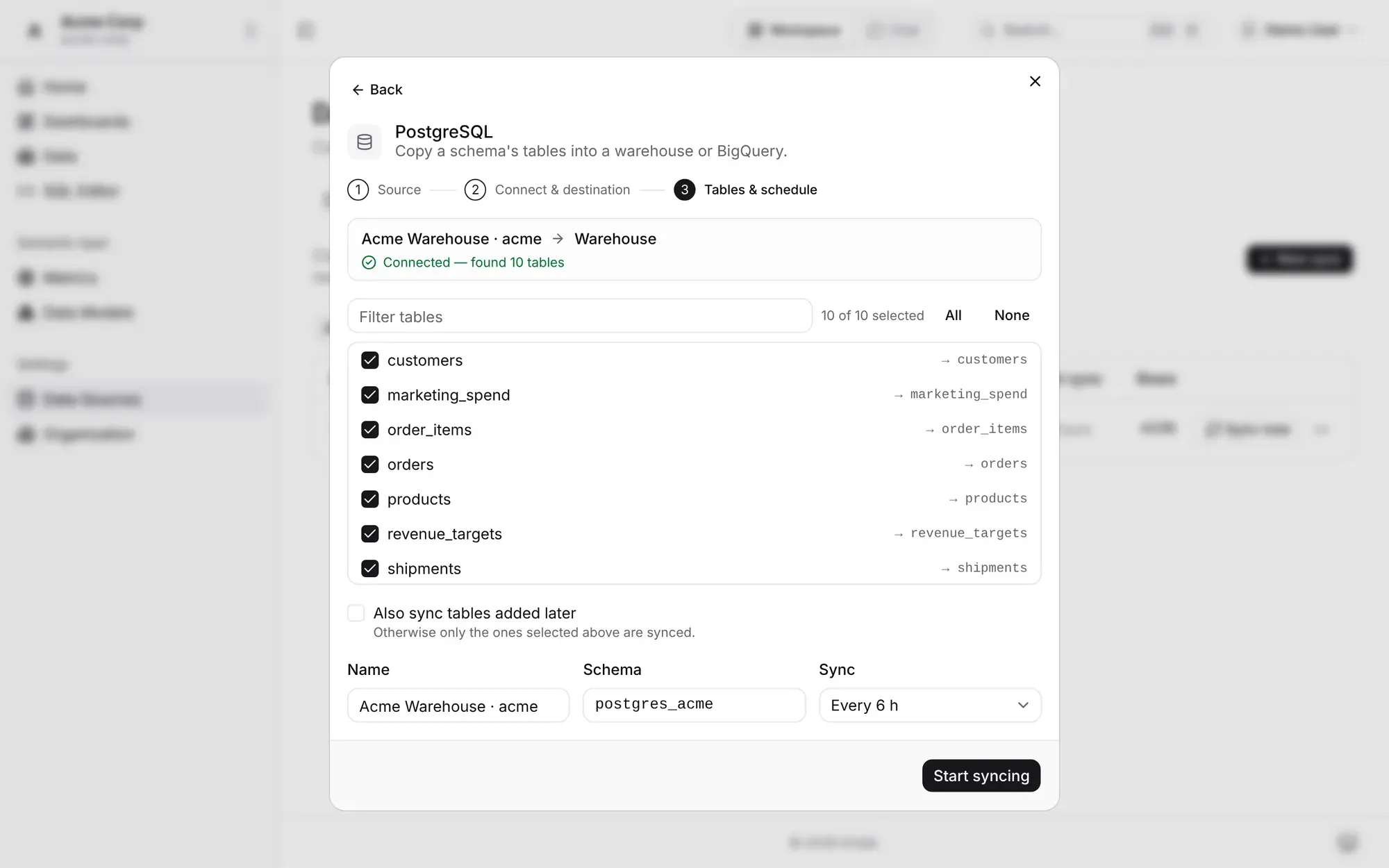
The first run starts straight away. In the demo above, it copied about 423,000 rows across ten tables, and the synced tables are ready to query from dashboards, the SQL Editor and the agent like any other data.
A page for every sync
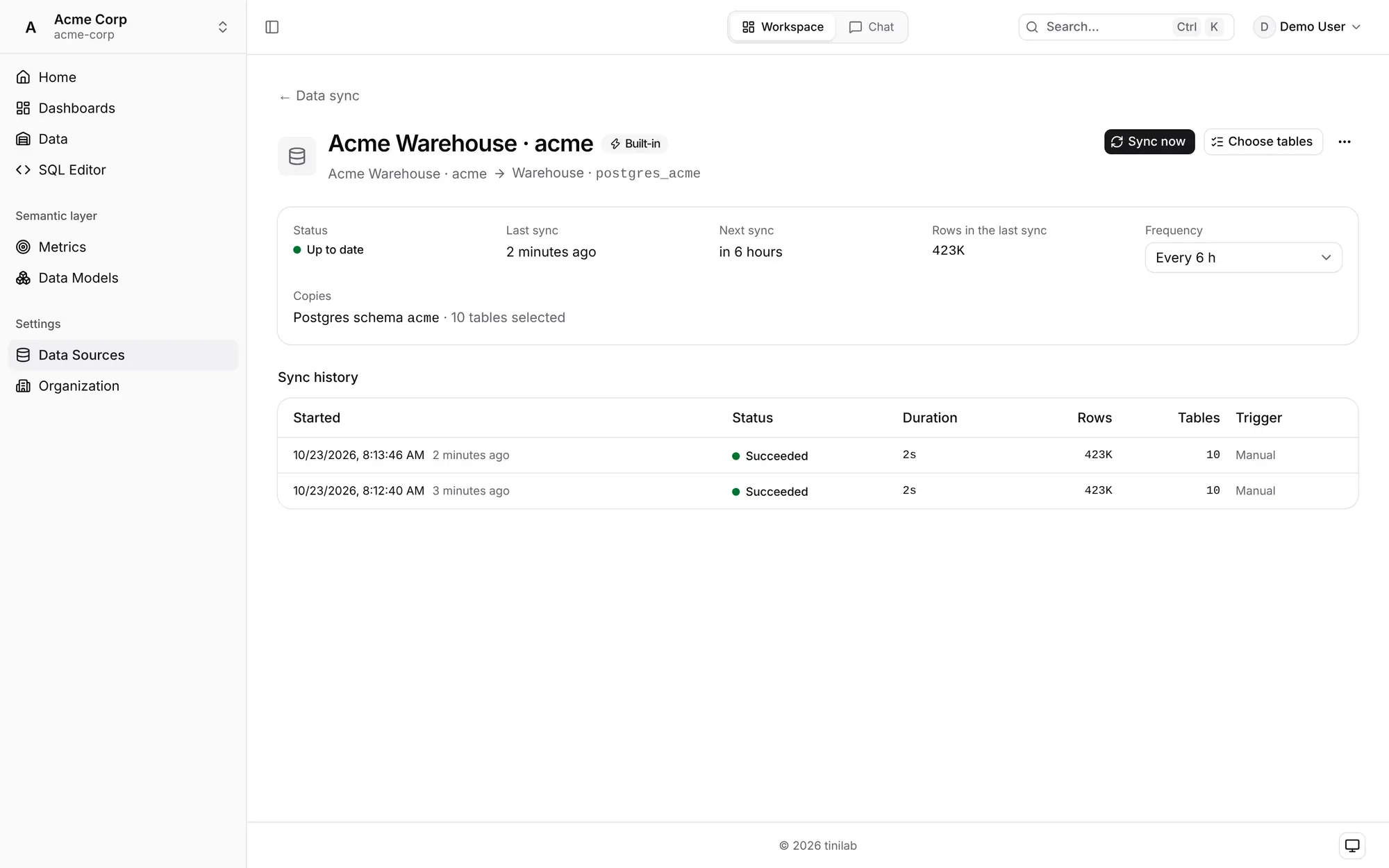
Data sync lists your syncs with their status, last and next run and the rows they copied, with filters for Running, Failing and Paused. Each sync opens on its own page: Sync now, Stop sync part way, pause it, change the frequency or Choose tables, and read its Sync history, run by run, with what happened to each table.
Apps from Fivetran, done properly
Apps you bring in through Fivetran, like Stripe, Shopify or HubSpot, are now data sources of their own: add one from New data source → Apps, and choose which of your databases it Lands in, Postgres or now BigQuery too. Each app has its own page with its status, the rows it brought in this month and a Sync log of the past week. Alerts from Fivetran say what they mean and what to do, not just a code, and during the first sync the page shows the tables that have already landed.
Full copies, for now
Database syncs copy each table whole on every run, and swap it in at once so nobody sees half a table. Google Search Console is the one source that syncs only what’s new.