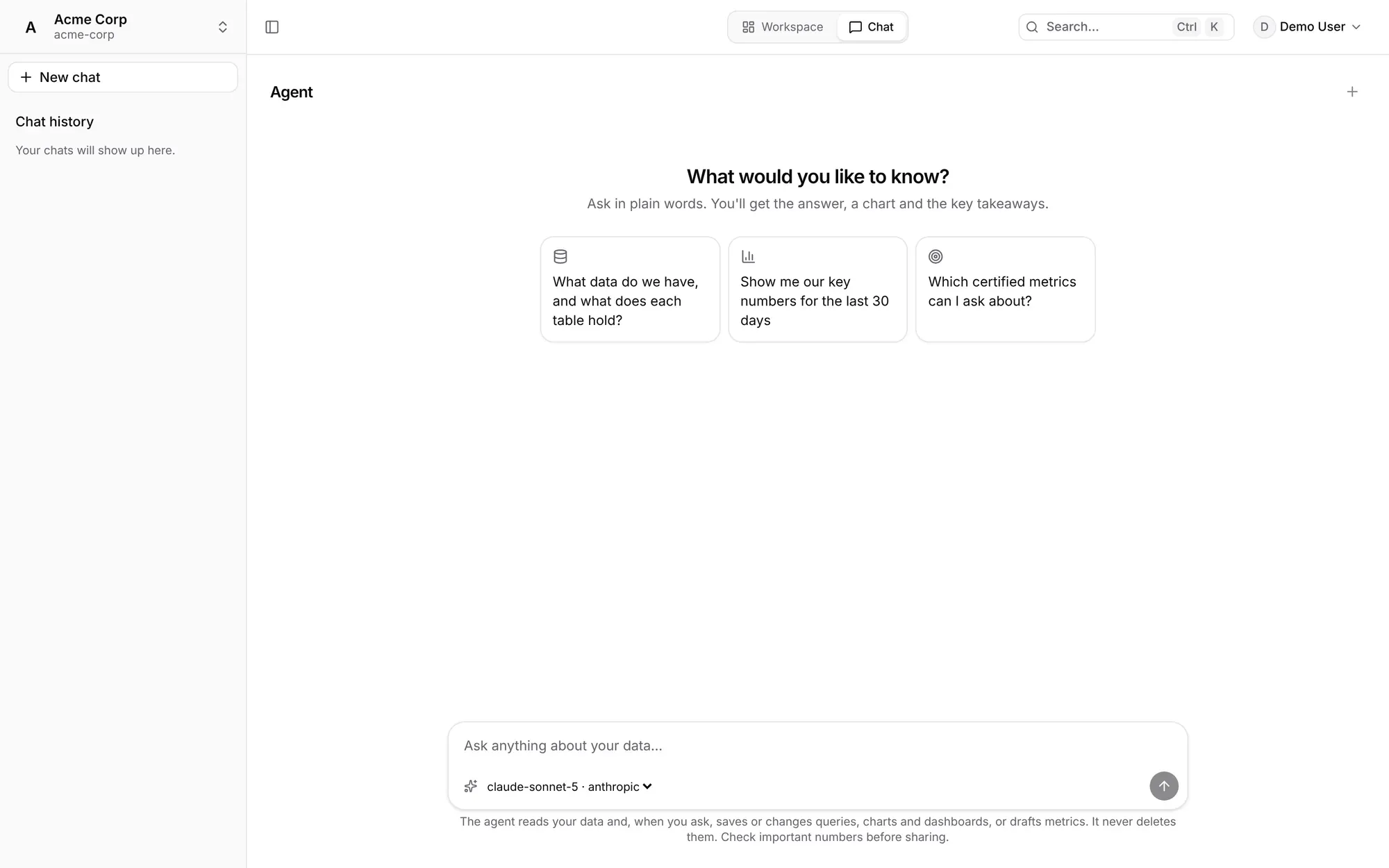
Most questions about a business are simple to ask and slow to answer. Which channel brought our best customers this year? takes a database, the right tables and an hour. The Data Agent takes the question.
An answer you can check
Open Chat (at launch it was a page called Agent) and ask. The agent looks at what data you’ve connected, works out which tables answer the question, runs it, and replies with:
- the answer in a couple of sentences, with the numbers that matter;
- a chart, whose type and settings you can change right there;
- How I got this: every step it took, in plain words. The SQL behind it is a click away for whoever wants to check.
When an answer is worth keeping, ask it to save the chart, or to build a dashboard from a few. When it finds a number you’ll want again, like your repeat-purchase rate, it can draft a metric for you to review. It never certifies a metric, and it never deletes anything.
Your key, at cost
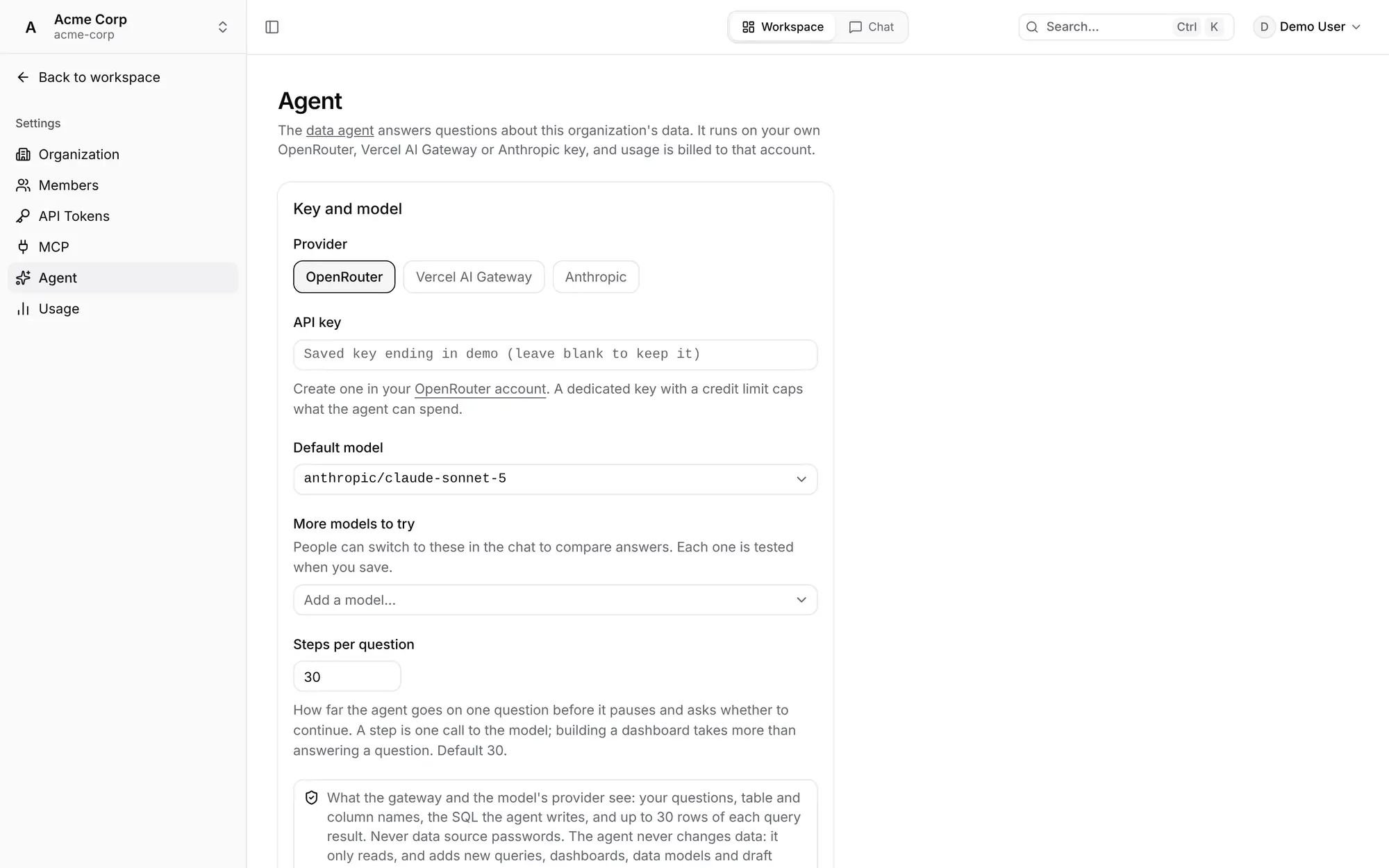
The agent runs on a model from your own AI account. An organization admin sets it up once in Settings → Agent: pick OpenRouter or Vercel AI Gateway, paste a key, choose a default model and, if you like, a few more models people can switch to. Test and save tries the key first, so a typo never gets saved. You pay your provider directly, with nothing added.
Long questions check in
Each step is one call to the model, and a question gets 30 steps by default (admins can set 5 to 100). If it needs more, the agent stops and asks: Continue, or Stop here. Chats are saved on the server, private to whoever started them, so you can come back to one tomorrow.
It reads; your login decides what it can touch
The agent has no way to change your connections, and it’s told to only read. What it can reach is whatever the data source’s login allows, so connect your database with a read-only user.