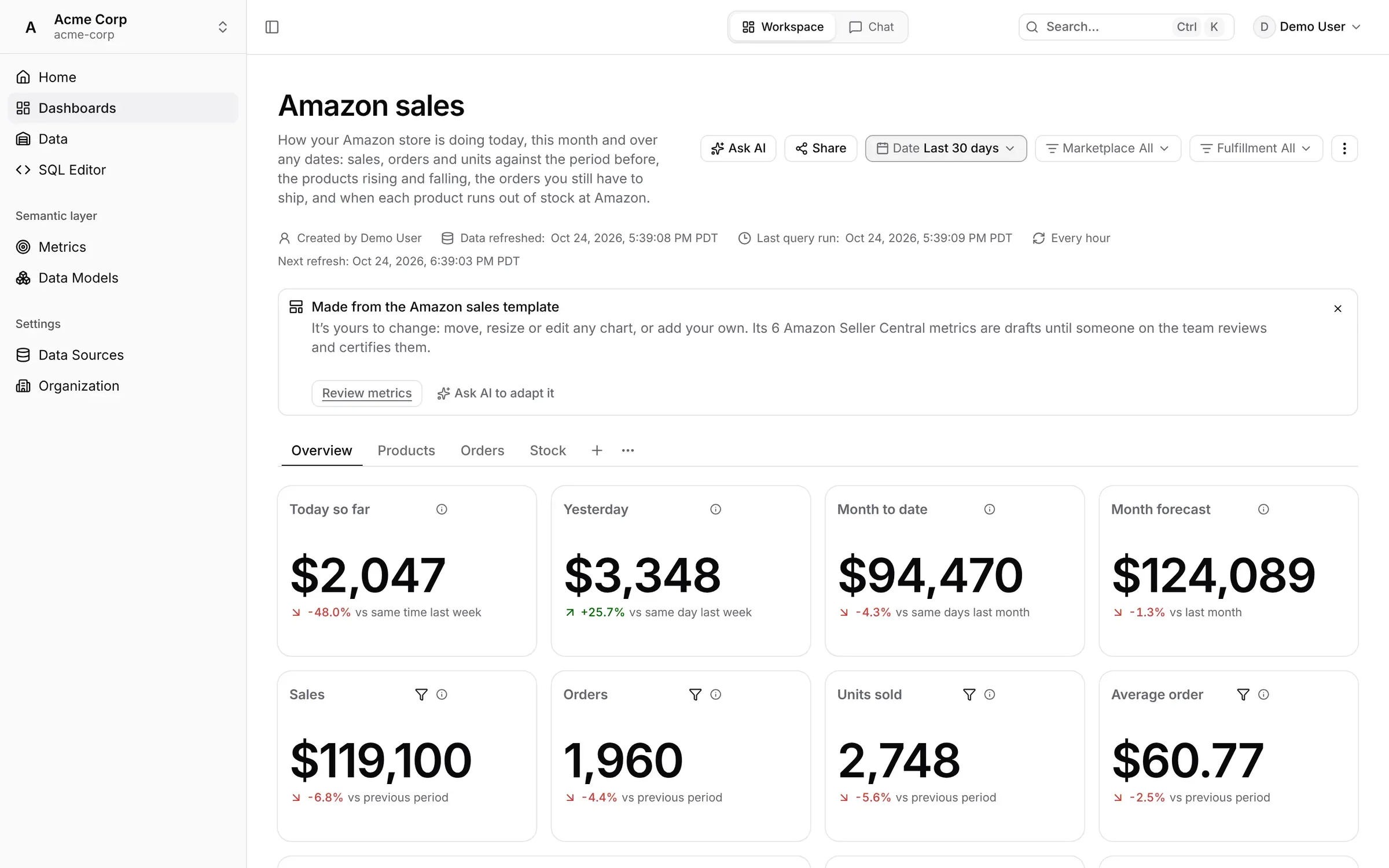
If you sell on Amazon, a few questions come back every day: how is today going, will this month beat the last one, what still has to ship, and what runs out before the next shipment lands. Seller Central answers each on a different page. The new Amazon sales template puts them on one dashboard, built on the orders and stock Fivetran syncs from your Seller Central account into PostgreSQL or BigQuery.
Today, this month, and any dates you pick
In Dashboards, From a template lists it under Amazon Seller Central. Click it, then Use template. The dashboard opens on its Overview. The top row stays on fixed periods: Today so far against the same time last week, Yesterday against the same day last week, Month to date against the same days last month, and a Month forecast: sales so far, plus the average of the last 14 days for each day left.
Below it, sales, orders, units and the average order follow the Date filter, against the period before. Then come sales by day and FBA against FBM, and a table of every product with how its units, orders and sales changed. The Products page adds the top five by week and the products rising and falling most. Marketplace and Fulfillment filters narrow all of it.
Orders to ship
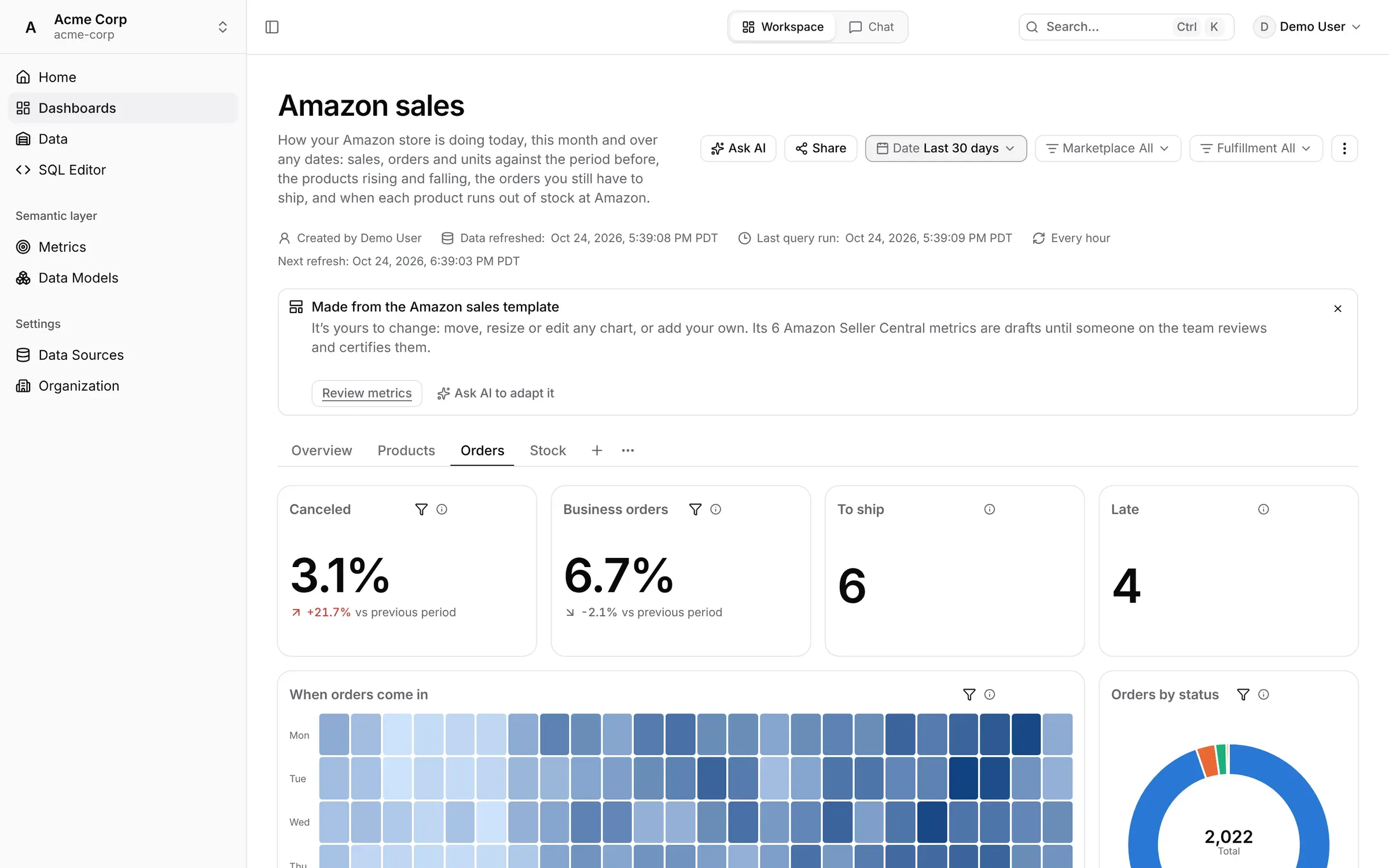
The Orders page counts the orders you ship yourself (FBM) that are still waiting, and the ones already past their ship-by date, which count against your late shipment rate. A table lists them with the nearest ship-by date first. Next to it are the cancellation rate, the share of orders from business buyers, and a heatmap of when orders come in, by weekday and hour, in your organization’s time zone.
When stock runs out
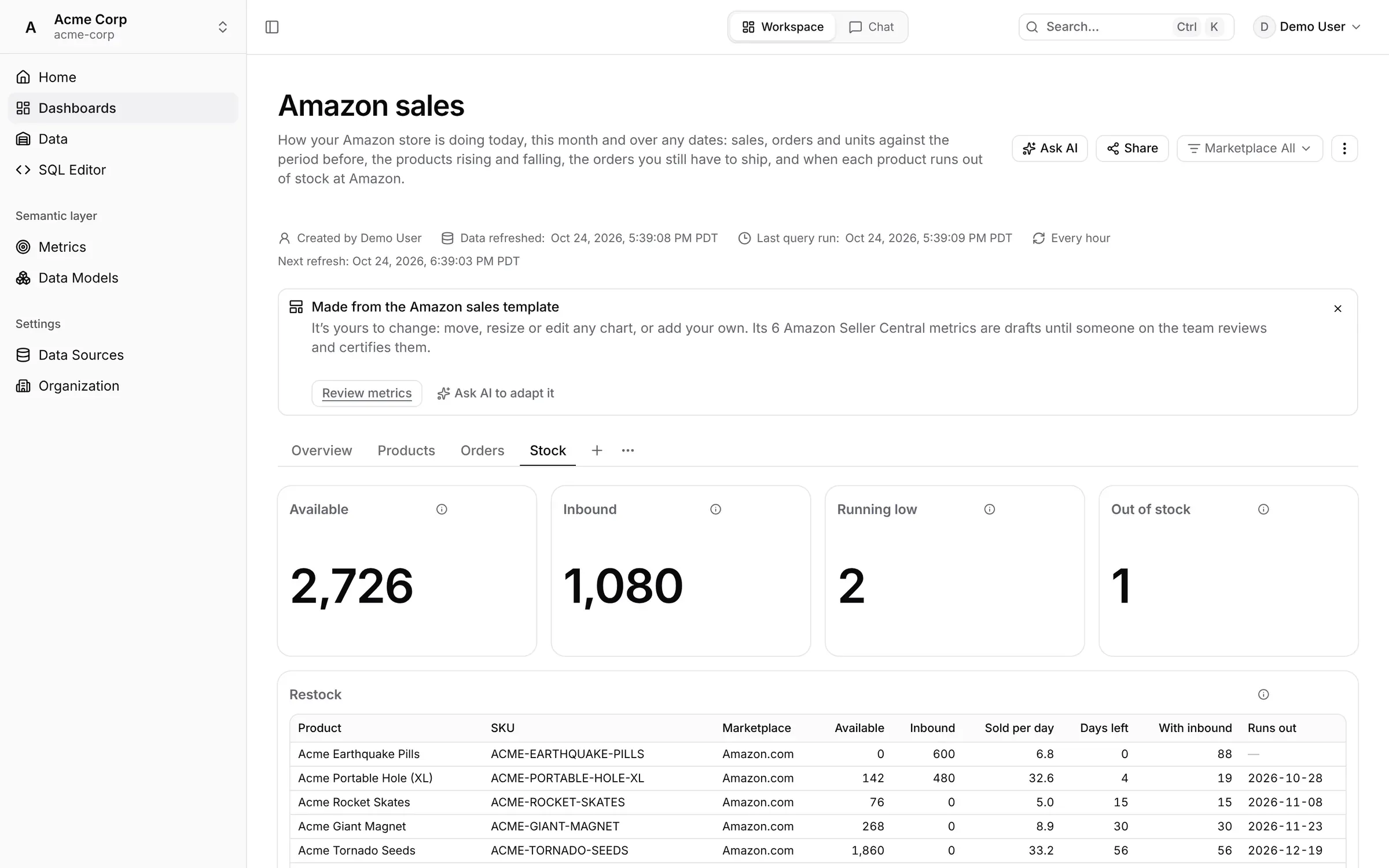
On the Stock page, Restock lists every product in Amazon’s warehouses, the soonest to run out first. For each one: the units Amazon can ship now, what’s inbound, how many sell a day over the last 30 days, the days that lasts with and without the inbound shipments, and the date it runs out. Separate tables show stock that sits too long (more than 180 days of it) and units Amazon won’t sell: damaged, defective or expired.
Also in this release
- A number that compares two rows names the second one in its change: “vs same day last week” instead of “vs previous row”, when your query gives that row a text label.
- If you only ship your own orders, the template leaves out the Stock page and makes the rest.
Sales, not profit, for now
Sales here are item prices before tax and shipping, canceled orders left out. Amazon sends pending orders without prices, so they count at the product’s average price until Amazon confirms them. The template doesn’t read Amazon’s fees, refunds or payouts yet, and Amazon doesn’t know what your products cost you, so there’s no profit or margin on it. With several marketplaces, pick one in the filter: each has its own currency.